This article guides you to connect your phone to the printer via wifi, connect your Android phone, IOS phone (Iphone) to the printer, to print right on your mobile device without going through a computer. .
Instructions for connecting phones with printers
Connect an Android phone (the guide device is HTC, other devices are similar to Samsung, Oppo, Huawei ...)
To connect an Android phone to the printer we need the following conditions:
Phone must use Android 4.4 or higher
The printer must be connected to a wifi or LAN network
Both devices, the phone and the printer, must be connected to the same network
Step 1: On the phone go to Settings -> Printing -> On
Step 2: In the Print section -> click on the 3 dots

Step 3: Select Add service
Step 4: Download the Service plugin application for the printer (which printer company downloads it. For example, HP printer)

Step 5: Go back, go to Settings -> Printing -> Select Installed Service Plugin (HP) then add the printer
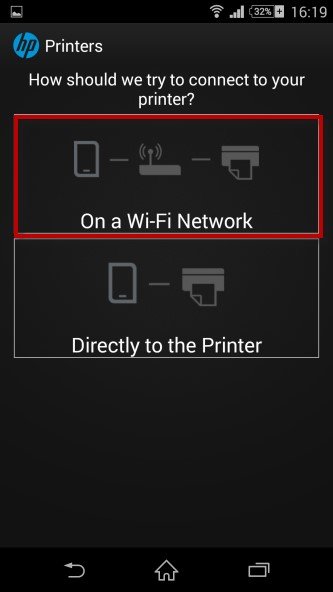
Step 6: Add the local printer address (Lan). After success the machine will display the printer
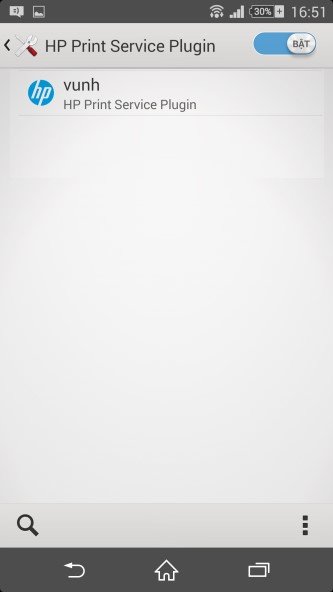
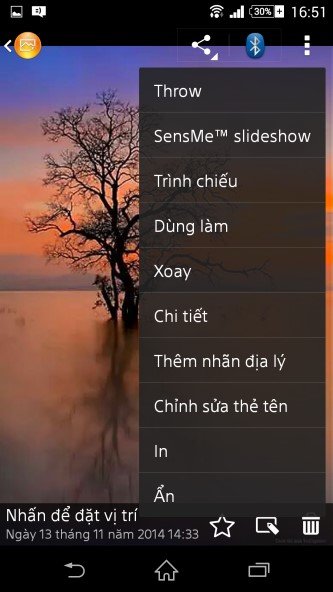
Step 7: Print the documents and images you want
Select the document or image you want, click the 3 dots and select print.
Done! Good luck
With iphone read more: How to connect the printer to iPhone, iPad for wireless printing is very simple
More: Samsung mobile at didongthongminh.vn
or Apple’s plan to force users to buy iPhone 14 Pro and iPhone 14 Pro Max models
Relative post: Software Reset Samsung SCX 4623FN Version:98f

No comments:
Post a Comment